
TL;DR
- RabbitHole is an AI curiosity wiki: you type a topic and get a structured, multi-page guide, explained through the things you already know.
- Every guide ends with a quiz, flashcards, a podcast and a few new rabbit holes to fall into next.
- It took me about two years and three names to get there: AquaMesh, then StudyMesh, then RabbitHole.
- You can try a sample guide without creating an account.
RabbitHole started its life as a submarine.
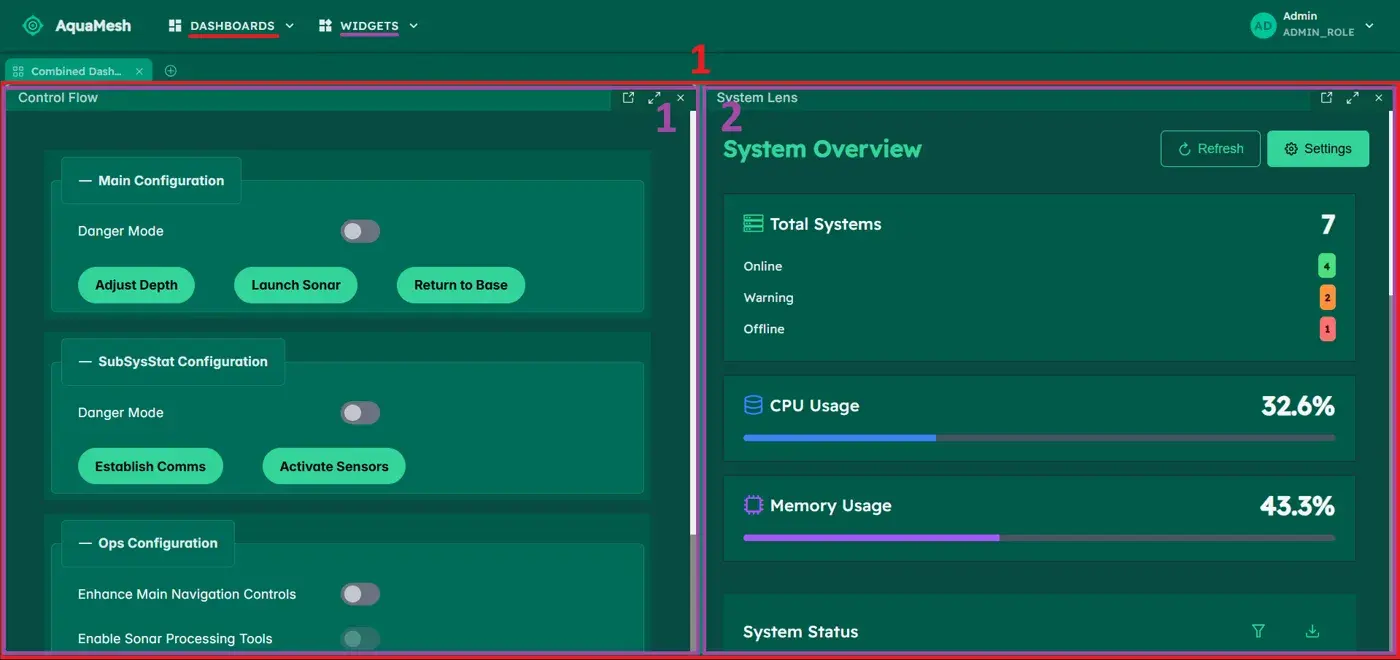
Not a real one. A dark green dashboard full of sonar buttons and depth controls, built in September 2024 for one reason only: I wanted to prove I could build something serious with React. There was no user, no problem to solve and no plan beyond "make it look good".
Two years later that same repository is a full SaaS with AI guides, a billing system, a landing page, a trailer, and a rabbit with headphones that answers your questions. This post is the story of how one turned into the other, and of the ideas that only appeared because I kept building.
What RabbitHole is
If you have ever tried to learn something complex in a chat window, you know how it goes. You ask a question, get a wall of text, ask a follow-up, get another wall, and twenty minutes later the useful part is buried somewhere above you. I used to copy AI answers into my notes app just to keep them.
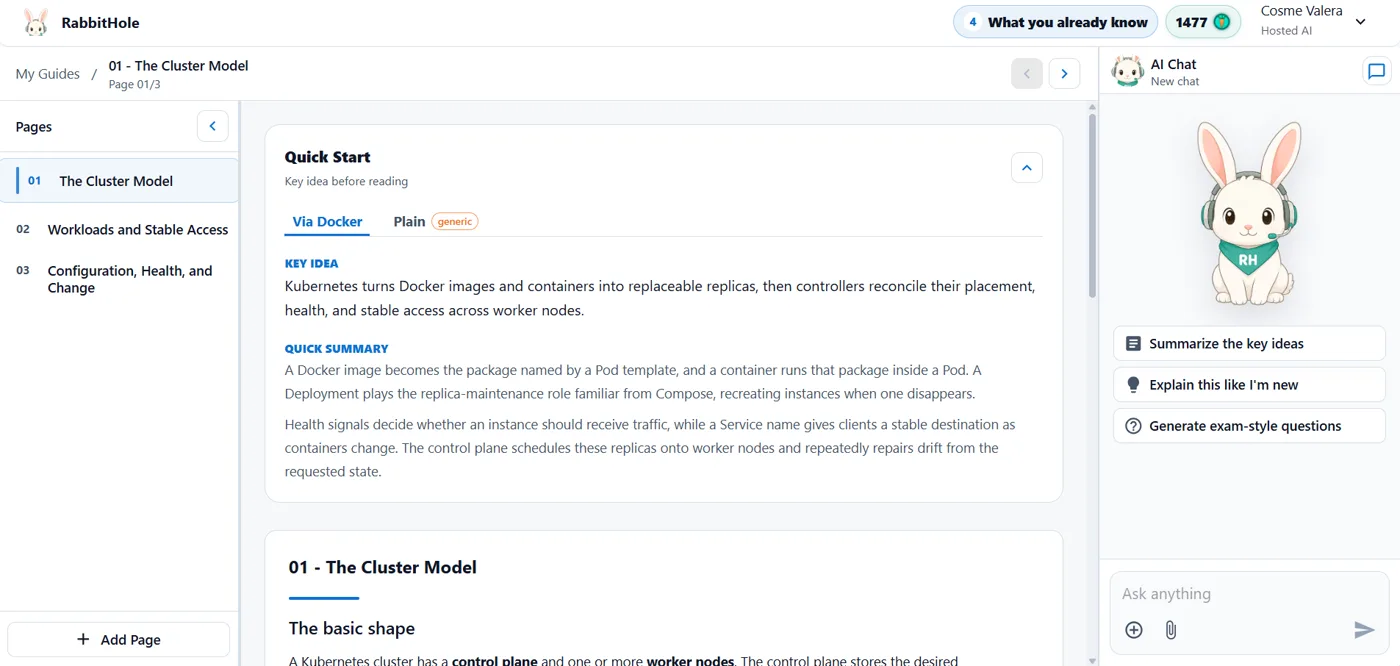
RabbitHole takes a prompt and gives you a guide instead of an answer: a few short pages, each one building on the previous, with a sidebar to move between them and an AI chat that only talks about what is on the page.
The part I am most proud of is small and easy to miss. Before you start, you tell RabbitHole what you already know: Docker, cooking, football, Java, whatever. Then every new topic gets explained through it.
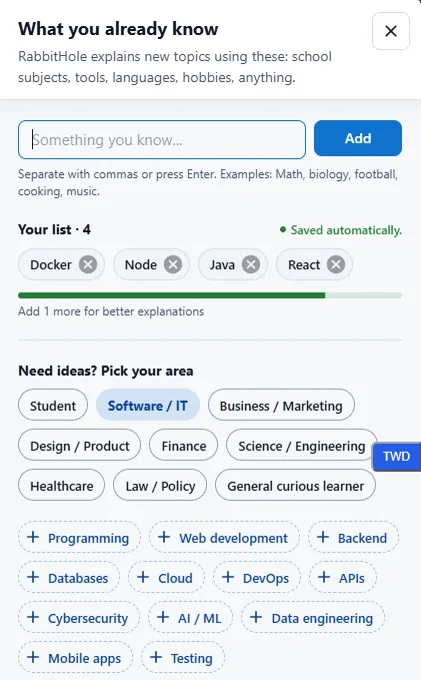
So if you know Docker and ask "What is Kubernetes?", the guide opens with a Quick Start that starts from the containers you already understand and only then explains what changes when there is a whole cluster of machines underneath. It even tells you where the analogy breaks.
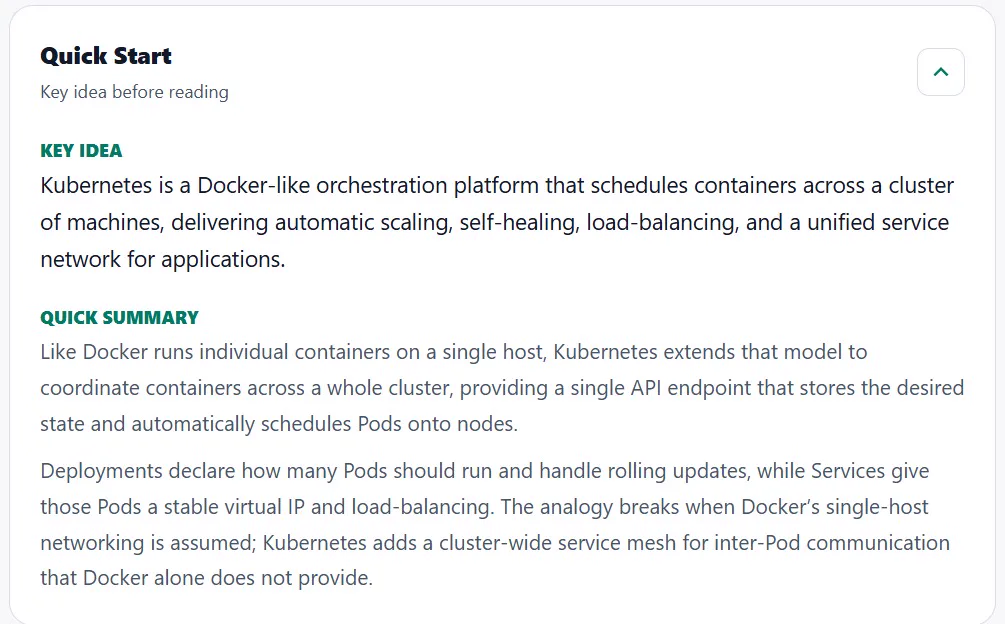
The Key idea is a 20-second skim, the Quick summary a 60-second version, and only then come the full pages. You choose how deep to go.
That is the product today. Getting there was much less tidy.
AquaMesh: the submarine era
The first version was called AquaMesh, and the water theme went all the way down. The idea was an organisation app: you had Dashboards, and inside each dashboard you placed boxes called Widgets, which you could move around and resize. In the screenshot below, the whole screen is a dashboard and each panel inside it is a widget.
At first there were only a couple of predefined widgets, which made it more of a showroom than a tool. So the second version added a Widget Editor: a drag-and-drop page where you could build your own widgets out of text, fields, buttons, switches and charts. Something like HTML and CSS, minus the code. There was even a mock login with different roles, because a dashboard app without roles did not feel real enough.
I was happy with it, so I showed it to some friends. Their verdict was polite and accurate: nice idea, not very practical. Nobody could tell me what they would actually use it for, and neither could I.
So AquaMesh went into a drawer for a few months.
StudyMesh: the AI arrives
In September 2025 I wanted to add the project to my CV, and I did not want to add it as it was. I needed one new idea that made the whole thing worth opening. The obvious candidate was AI: instead of building every widget by hand, what if you could ask for them?
That question gave the project its first real user in my head: a student. A student keeps their subjects in folders (Mathematics, Anatomy, Literature), each folder holds dashboards, and each dashboard mixes widgets with an image, a PDF, a YouTube video or some notes. On top of that, two new buttons: Create Study Pack, which generated one dashboard from a photo or a piece of text, and Create Study Path, which generated several of them in order.
I also switched the design to white, mostly so it would look professional. The logo still said AquaMesh, but it was already StudyMesh in spirit.
It worked, but it was rudimentary. You got some markdown, a few key facts and a quiz, glued into widgets that had been designed for something else entirely.
The next iteration got the name and a new logo for real. Dashboards moved into a Library, and the screen settled into three columns: what you can create on the left, what you created in the middle, and an AI chat on the right that only answers about the middle. The study pack split into four quicker options (quiz, flashcards, clear notes and "create from material"), and generations now appeared as pills in a queue at the bottom, so you could keep working while the AI was busy.
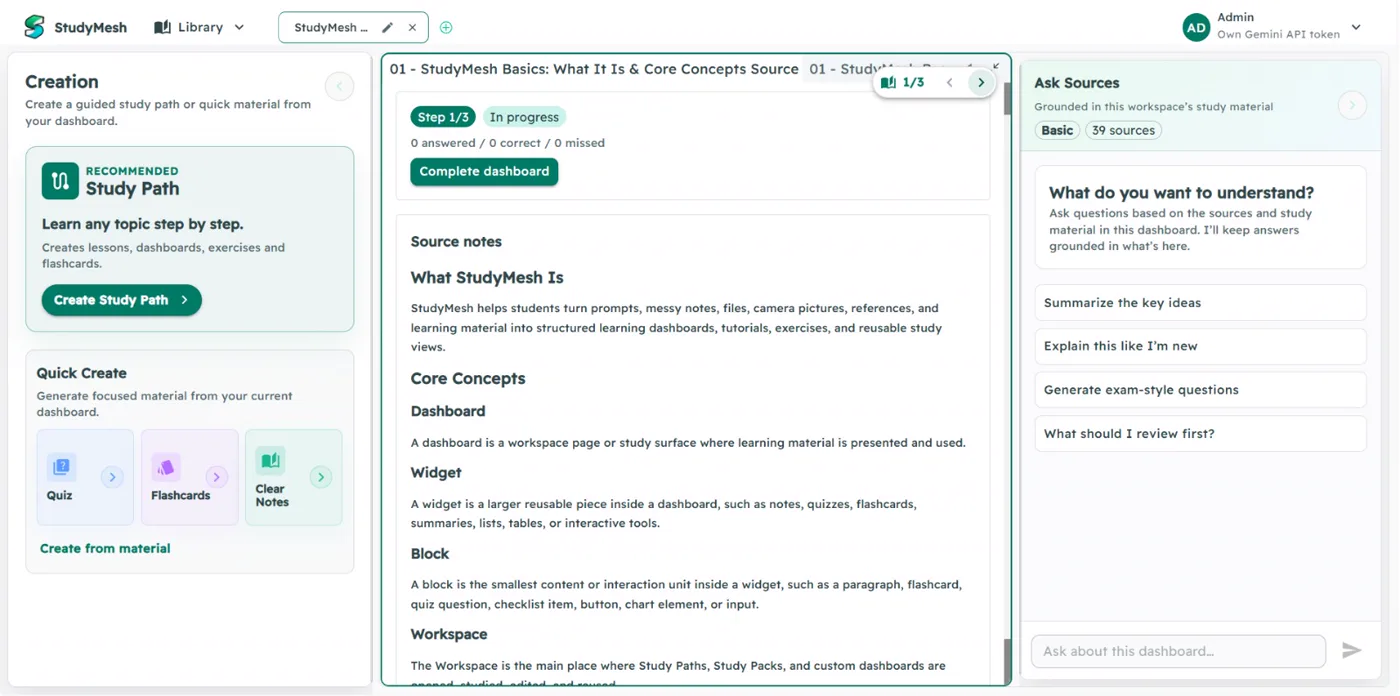
I would love to tell you this layout came from a clear plan. It didn't. I was learning while building, trying things, keeping what worked and deleting what didn't, and checking on my phone the whole time that nothing broke on a small screen. A lot of what I built in that period no longer exists, and that is fine; it is how I found out what the product should not be.
From a project to a product
Up to this point StudyMesh was an app. What turned it into a product was all the boring, invisible work around it:
- Real accounts, with Google sign-in and the data in Supabase.
- A landing page, which got a full second version a few months later.
- Three AI modes: Hosted, where I pay for the model and you pay me in credits; Local, which runs a model on your own machine; and BYOK (bring your own key), for people who already pay for an API key.
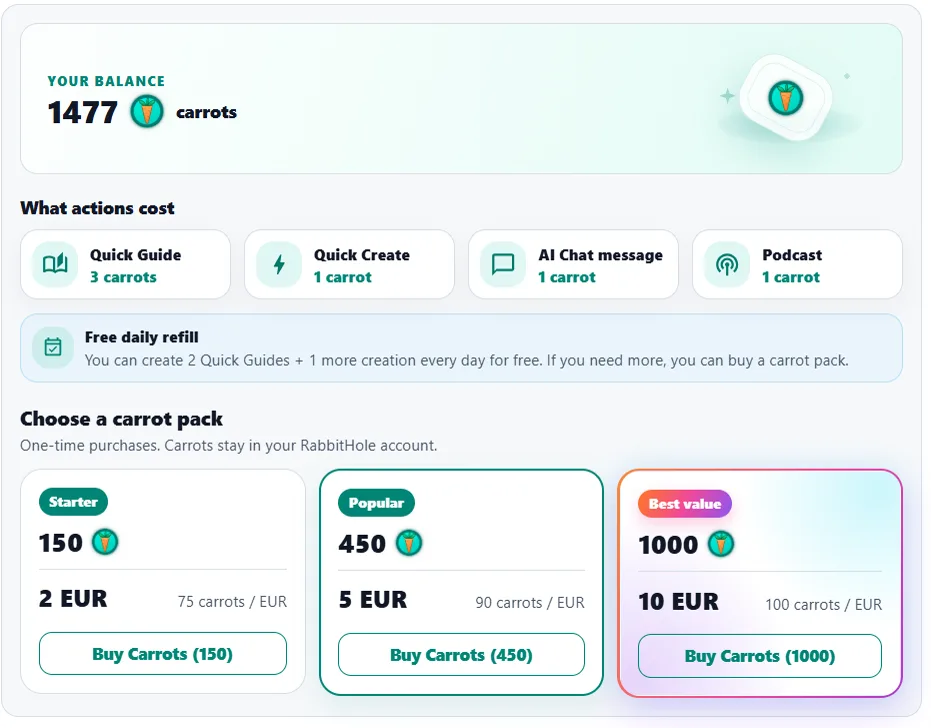
- Billing with Stripe and a currency of its own, Study Credits: a guide cost 3, everything else 1, and a €2 pack gave you 150 of them.
- Podcasts, so you can listen to a guide on the bus.
- An AI pet, because the chat felt cold without a face. It started as a single dolphin and ended up as a small cast to pick from: a bee, a dolphin and a parrot.
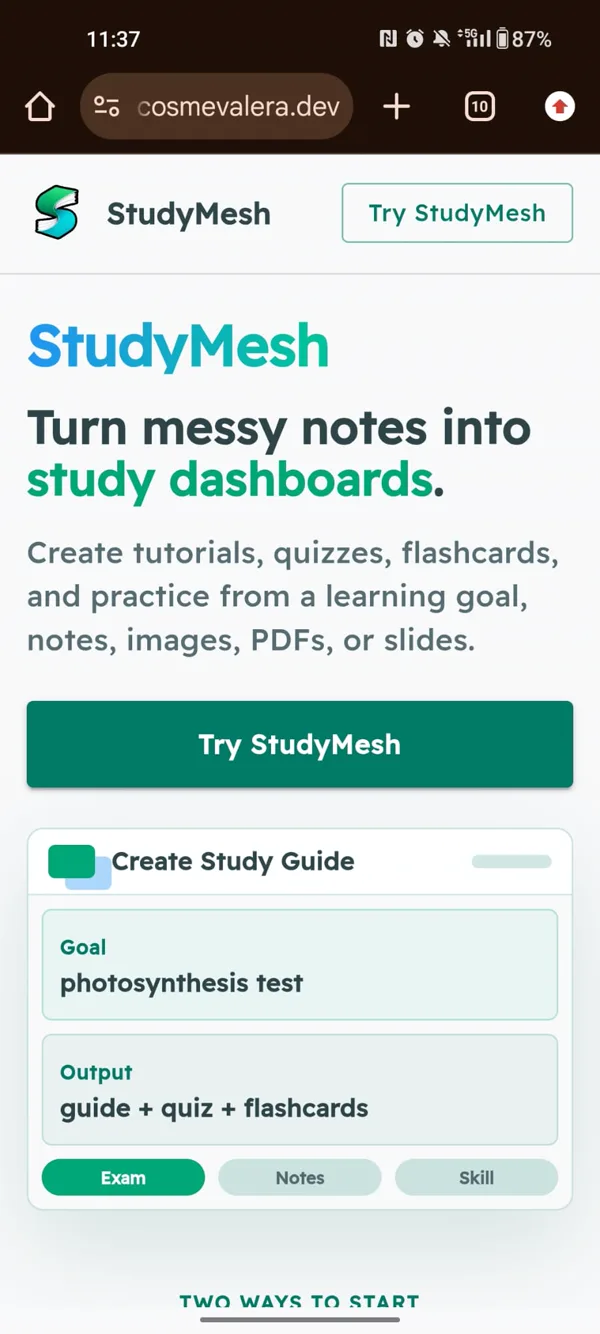
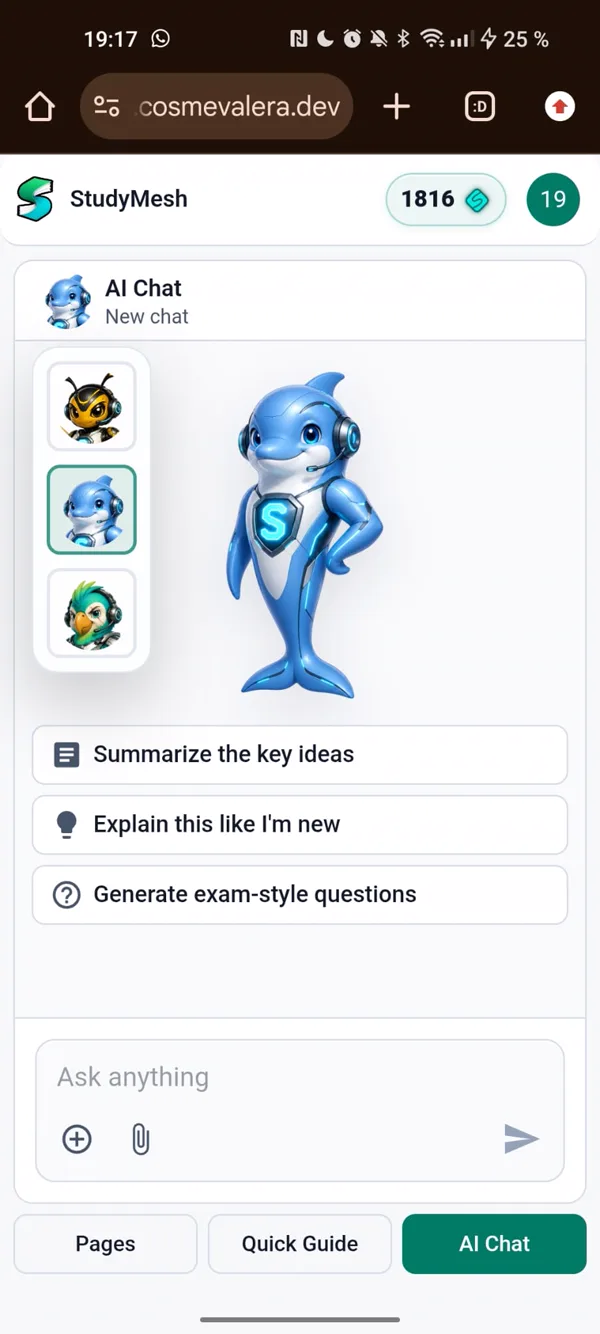
None of these features is what a user remembers. All of them are what a user needs before they can trust you with an email address, let alone a card number. If you have only built side projects, this is the part that surprises you: the app took months, and making it a product took about as long again.
RabbitHole: finding the one idea
In June 2026 one feature changed the shape of everything else: the "What you already know" list from the beginning of this post.
Once guides could be explained through your own knowledge, they stopped being study material. A developer learning Kubernetes, a cook curious about fermentation, a football fan reading about game theory: none of them is studying for an exam. They are following their curiosity, one link at a time. The name "StudyMesh" suddenly sounded like homework.
That is how it became RabbitHole. And the name pulled the last missing piece into place: what happens when a guide ends. Now the final page gives you a quiz, and after it, a handful of new rabbit holes, topics that build on the one you just finished. One more button, Add to what I know, puts the topic into your list, so the next guide can use it as an analogy.
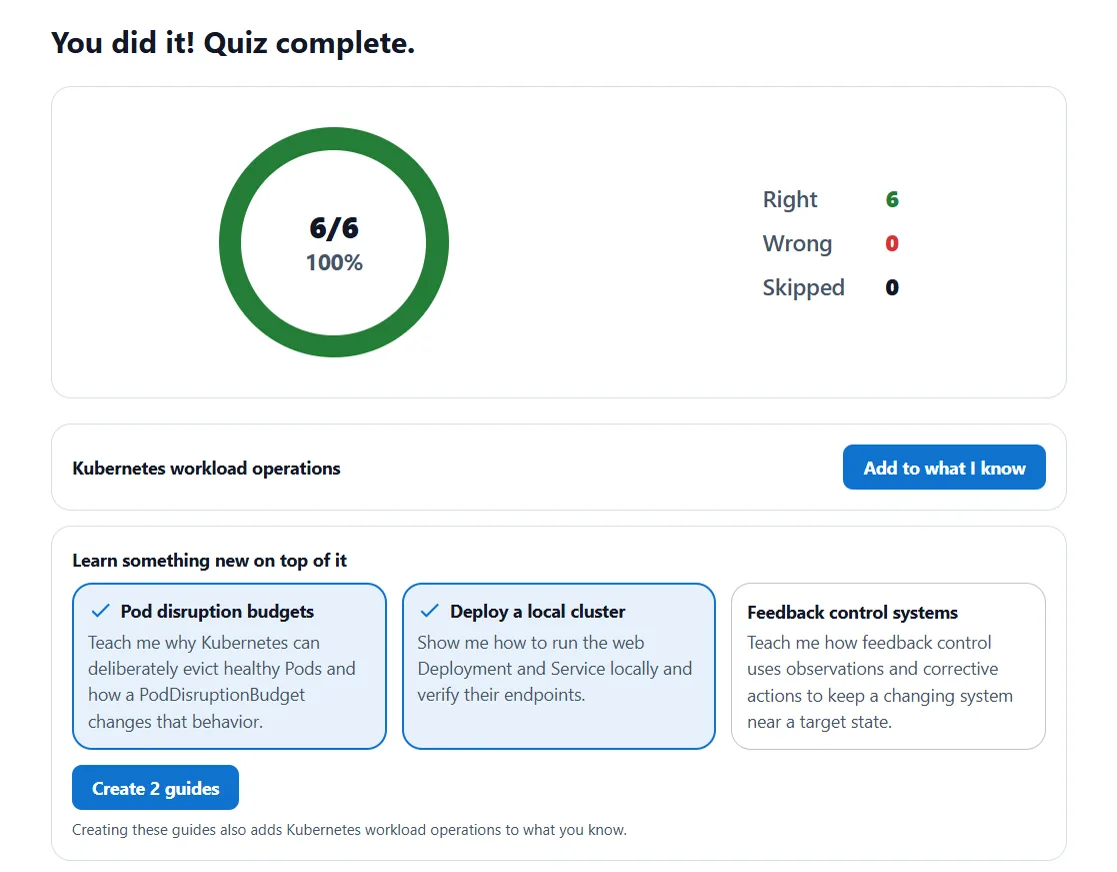
That loop is the whole product in one picture. Every guide you finish makes the next one easier to understand.
The rest followed the name, as these things do. The interface got a new page, the dolphin became a rabbit with a headset and a green bandana, and Study Credits became carrots.
Under the hood
For the developers reading: RabbitHole is a React + TypeScript app inside a Turborepo monorepo, with serverless functions on Vercel as the backend. Supabase holds the data and the accounts, Stripe handles the carrots, and the guides themselves are written by models from OpenAI, Gemini and Cerebras. Tests run with Vitest for the logic and Playwright for the E2E.

AquaMesh was built to prove I could write React. RabbitHole proved something more useful to me: that I can take an empty repository all the way to a product with accounts, payments, a landing page and an idea of its own.
Whether it was a good product is a different question, and the numbers have a clear opinion about it. That is the next post: RabbitHole: The Post-Mortem.
In the meantime, the rabbit is still answering questions. Pick a topic and fall in.